
Download CleanArchiver – Free Mac Compression Utility for Secure Archiving
Overview of CleanArchiver
CleanArchiver is a lightweight, free archiving utility designed exclusively for macOS. Since its debut in 2007, the tool has attracted over 11,000 downloads and continues to serve users in regions such as South Korea, the United Kingdom, and Malta. The program belongs to the “Utilities” category with a sub‑category of “Compression,” making it a handy companion for anyone who needs to zip, unzip, or manage archive files without sacrificing hard‑drive space. With support for English, German, and French, CleanArchiver offers a straightforward interface that caters to both casual home users and power users who regularly handle large batches of compressed data. The current version, 2.3.1, was last updated on April 17 2007, yet its core functionality remains solid and reliable for everyday compression tasks on macOS 10.4 and later.
Key Features That Set CleanArchiver Apart
- Fast compression and extraction for ZIP, TAR, GZIP, and BZIP2 formats.
- Drag‑and‑drop support directly from Finder for instant archiving.
- Batch processing – compress or extract multiple files in one operation.
- Low memory footprint – consumes significantly less disk space than many competing utilities.
- Multi‑language interface (English, German, French) for broader accessibility.
- Secure handling of archives – no background telemetry, keeping your data private.
- Integration with macOS Services, allowing right‑click access from the context menu.
- Automatic file type detection to streamline the extraction process.
Beyond the basic list above, CleanArchiver shines because it stays out of the way. The program does not force users through a series of setup wizards; instead, it opens to a clean window where you can either select files or drop them directly onto the interface. This minimalistic design reduces the learning curve and speeds up daily workflows, especially for users who frequently exchange compressed files via email or cloud storage. Moreover, because the utility is free, it eliminates the need for costly licenses or subscription models that other compression tools often require. The combination of speed, simplicity, and zero cost makes CleanArchiver a compelling choice for macOS users who want a trustworthy, no‑frills archiving solution.
Step‑by‑Step Installation and Everyday Usage
Downloading and Installing CleanArchiver
Begin by visiting the official CleanArchiver download page or a reputable Mac software repository. Click the Download button, which will retrieve a small DMG file (typically under 5 MB). Once the download completes, double‑click the DMG to mount it, then drag the CleanArchiver icon into your /Applications folder. macOS may warn you about an unsigned app; simply approve the installation by opening System Preferences → Security & Privacy → General and selecting “Open Anyway.” The installation process finishes in under a minute, and the app is ready to launch from the Dock or Launchpad.
Basic Compression Workflow
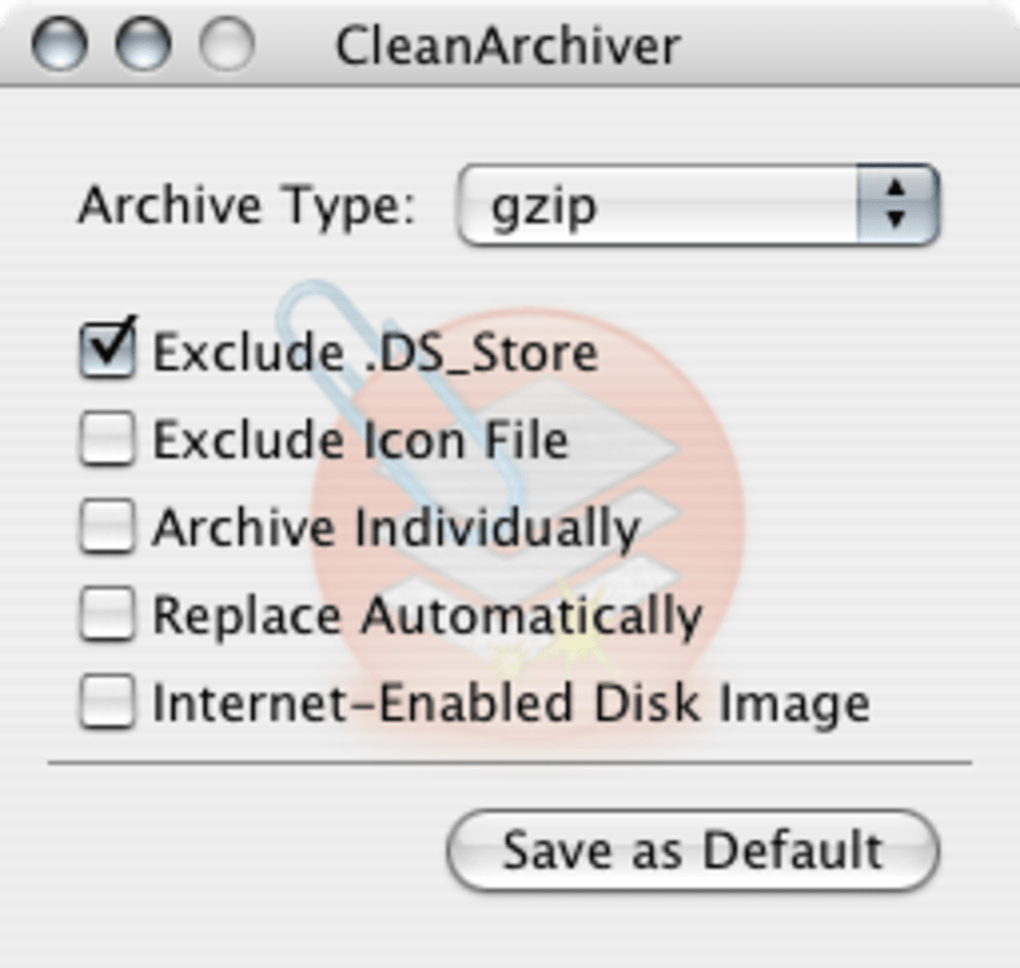
To create a new archive, launch CleanArchiver and click the “+” button or drag files directly onto the main window. Choose your desired format (ZIP is the default) from the dropdown menu, then press Compress. The utility instantly generates the archive in the same folder as the source files, appending the appropriate extension. For password‑protected archives, select the “Encrypt” checkbox and enter a strong passphrase; CleanArchiver will embed AES‑256 encryption without requiring any additional plugins.
Extracting Files Efficiently
When you need to open an archive, simply double‑click it in Finder or right‑click and choose “Open with CleanArchiver.” The program automatically detects the file type and extracts its contents to a new folder named after the archive. If the archive is encrypted, you’ll be prompted for the password. Advanced users can also select specific files within the archive by clicking “View Contents” and then dragging the chosen items to a destination folder.
Overall, CleanArchiver’s workflow mirrors the simplicity of macOS native tools while adding batch capabilities and multi‑format support that many built‑in utilities lack. The result is a smooth, reliable experience that saves both time and storage space.
Compatibility Overview and Balanced Pros & Cons
CleanArchiver runs on macOS 10.4 (Tiger) and later, including macOS Big Sur, Monterey, and Ventura. The app is optimized for both Intel‑based Macs and Apple Silicon (M1/M2) thanks to Rosetta 2 translation, delivering comparable performance on both architectures. While the program is not available for Windows, Android, or iOS, its exclusive focus on macOS ensures deep integration with Finder, Services, and the native file system.
Pros
- Free and fully functional without hidden fees or trial periods.
- Extremely low disk‑space footprint, ideal for older Macs with limited storage.
- Supports a wide range of archive formats, including ZIP, TAR, GZIP, and BZIP2.
- Simple drag‑and‑drop UI reduces the learning curve for new users.
- Secure encryption option for sensitive data.
- Multi‑language support (English, German, French).
Cons
- Last official update was in 2007, so the UI feels dated compared to modern apps.
- No native support for newer formats like 7z or RAR without external plugins.
- Lacks advanced features such as split archives or compression level tuning.
- No built‑in cloud integration for direct upload/download.
- Only available for macOS, limiting cross‑platform workflows.
Despite its age, CleanArchiver remains a solid, no‑cost alternative for macOS users who need basic compression and extraction. The pros generally outweigh the cons for most home and small‑business scenarios, especially when the priority is simplicity and low resource consumption.
Frequently Asked Questions about CleanArchiver
Is CleanArchiver completely free or does it have hidden costs?
CleanArchiver is 100 % free. There are no trial periods, premium upgrades, or hidden in‑app purchases. You can download, install, and use all features without paying a cent.
Which archive formats can CleanArchiver open?
The utility natively supports ZIP, TAR, GZIP, and BZIP2 for both compression and extraction. For other formats like RAR or 7z, you would need an additional tool.
Can I password‑protect my archives?
Yes. CleanArchiver offers an optional encryption checkbox that applies AES‑256 encryption to the resulting ZIP file. Simply enter a strong password before compressing.
Does CleanArchiver work on Apple Silicon Macs?
The app runs under Rosetta 2 on Apple Silicon, providing comparable performance to Intel Macs. Although it is not a native ARM binary, users report smooth operation on M1 and M2 devices.
How do I update CleanArchiver to the latest version?
Since the last official release was 2.3.1 in 2007, there are no automatic updates. To check for any community‑maintained builds, visit the official website or trusted Mac software portals.
Conclusion – Should You Download CleanArchiver?
If you’re looking for a lightweight, free, and secure archiving tool that integrates seamlessly with macOS, CleanArchiver remains a solid choice despite its dated interface. Its minimal system requirements, drag‑and‑drop simplicity, and essential format support make it especially appealing for students, freelancers, and small teams that need reliable compression without paying for premium software. Click the button below to download the latest DMG and start archiving your files instantly.







